
You think you have an AI search problem. Half the time it’s a product feed problem, sitting in a tab you never open.
A brand asks us why it never shows up when shoppers ask ChatGPT or Google’s AI for product picks. Fair question. The assumption is usually that there’s some deep AI-visibility problem to solve, so they come looking for a GEO engagement. Then we open their Google Merchant Center account and find thirty products disapproved, none of which anyone on their team knew about.
Those disapprovals are the reason they’re invisible. Not their content. Not their competitors. A few boring feed errors nobody checked.
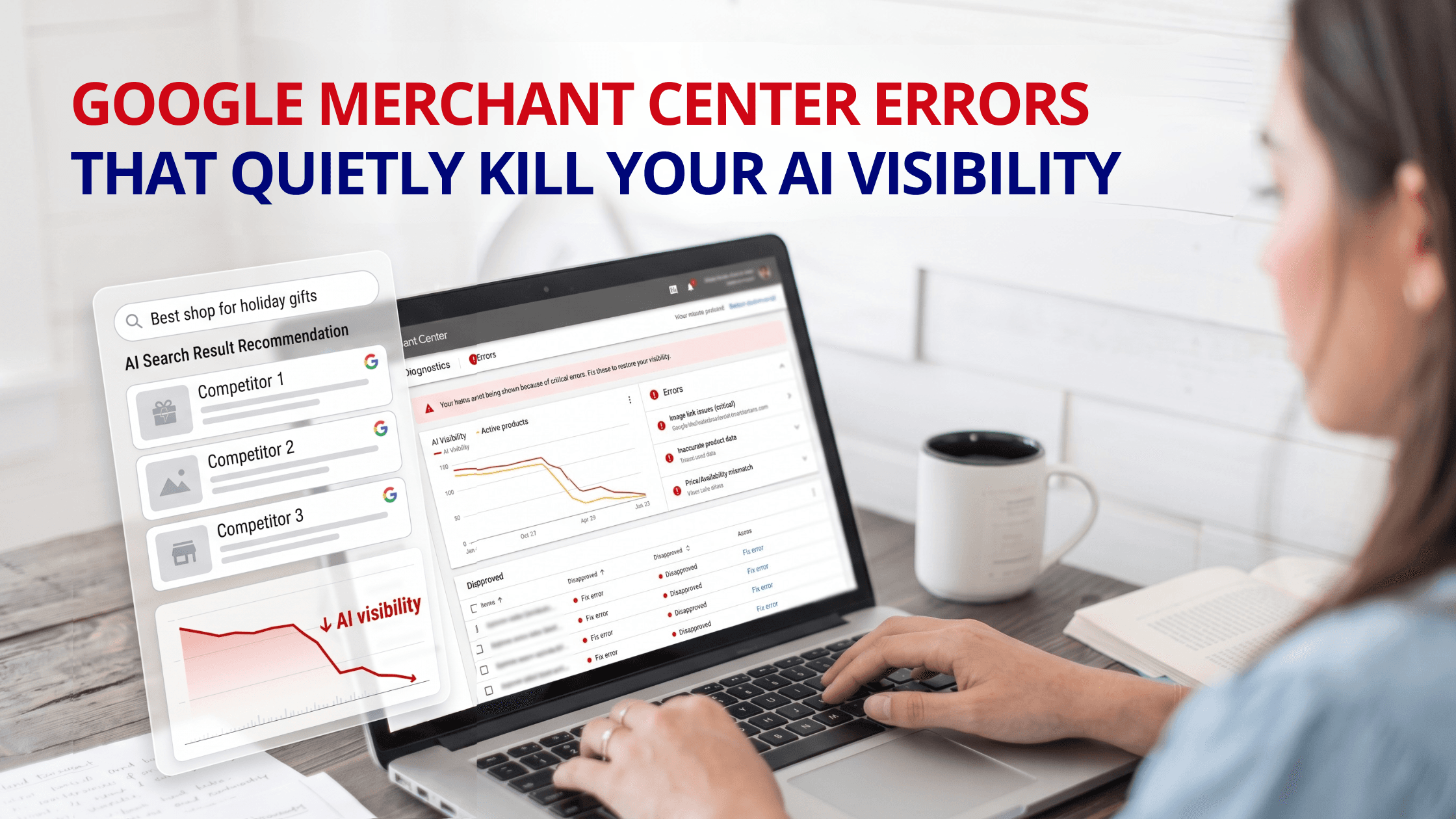
That’s what makes this so easy to miss. A disapproved product doesn’t email you. It doesn’t show up as a red number on a dashboard you actually look at. It just stops being eligible, and your products fade out of AI results while everything on your website looks completely normal. So before anyone spends money on the fancy stuff, it’s worth knowing how a feed error turns into an AI problem, and which errors to go check right now.
Why Merchant Center suddenly matters for AI
For most of its life, Merchant Center was an ads thing. You uploaded a product feed, ran Shopping campaigns off it, and then forgot the account existed between quarters. That was fine for years. It isn’t anymore, and brands still treating it that way are the ones getting hurt.
Here’s what changed. Your feed is what Google’s Shopping graph reads from, and in 2026 that graph is wired into AI Overviews, AI Mode, and Gemini’s shopping answers. ChatGPT’s shopping results lean on Google’s product data too, just less directly. So the feed you set up for ads is now the structured record several AI engines check when they decide whether to put your product in front of a buyer.
Which leads somewhere uncomfortable. A disapproval in Merchant Center no longer just costs you a Shopping ad. It pulls the product out of the Shopping graph, and once it’s out of the graph it’s gone from AI Overviews, AI Mode, Gemini, and anything syncing with Google, all at the same moment. One error you never saw can take a whole product line off every AI surface at once.
The errors doing the damage
It’s usually the same short list of culprits. These are the ones we check first, more or less in the order they tend to cause problems.
- Price mismatches. The feed says $40, the page says $32 because a sale went live and nobody re-synced the feed. This is the one we see most. Google reads the gap as a trust problem, since the last thing it wants is to quote a shopper a price that turns out to be wrong, so it disapproves the listing.
- Missing or made-up GTINs. On branded products, a blank GTIN gets you disapproved outright, and a wrong one quietly weakens how confidently Google can match your product to what someone asked for. That matching feeds AI results now, not just ads, so an empty field costs you more than it used to.
- Availability out of sync. Feed says in stock, shelf says sold out. Or the reverse. Google cross-checks, spots the contradiction, and would rather hide the listing than recommend something a buyer can’t actually purchase.
- Image problems. Placeholders, blurry shots, or an image with a promo banner baked into it will all get flagged. People underestimate this one. A single bad image is enough to pull a product out of eligibility.
- Thin product data. Titles copied straight out of the warehouse system, no brand field, an empty description. This often won’t trigger a hard disapproval, but it starves the AI of anything useful to say about you, so you lose the match even when you’re technically allowed to show up.
- Policy disapprovals. A product flagged on policy gets yanked from the Shopping graph completely, which means every AI surface drops it in one go. Fix these before anything else. The damage is the widest.
- Account-level trouble. Let enough item-level issues pile up and Google stops dealing with them one product at a time. It escalates to account warnings, and in the worst case a suspension that takes your entire catalog dark. Small stuff, ignored, becomes big stuff.
- An unclaimed store. The most basic failure there is. No verification means no feed means no eligibility. Rare for an established brand, but worth ruling out in thirty seconds.
Why these stay invisible until they’ve done damage
The whole problem is that none of this is loud. Every one of these issues lives in the Diagnostics tab inside Merchant Center, and in my experience most brands have never opened it. There’s no popup in your normal workflow that says you just lost forty products from AI answers. The listings slip to ineligible, your visibility erodes week over week, and you end up blaming your blog or your rankings when the real thing was a price field nobody updated.
And it doesn’t sit still. A disapproval you leave alone tends to spread, one product now, a category by next month, an account warning after that. By the time it’s big enough to show up in your revenue, it’s also a much bigger job to clean up than it would have been in week one.
What this looks like in practice
Picture a candle you sell for $40. Black Friday hits, you drop it to $32, the banner goes up, the page looks great. Except the feed still reads $40, because that sync never happened. A day or two later Google notices the two numbers don’t match, calls it a price mismatch, and disapproves the product. The candle is now missing from Shopping, from AI Overviews, from AI Mode, and you have no clue, because the sale is converting fine on the traffic you can still see.
Now run that across forty SKUs during your biggest promo of the year. That’s a real slice of your catalog gone from AI results on the exact week you needed it there most. Nothing on the site broke. The break was one layer back, in the place you don’t look.
The rule underneath all of it: the feed and the page have to agree
If there’s one thing to take from this, it’s this. Google treats your feed and your product page as two descriptions of the same product, and it holds them up against each other. The second they disagree, on price, on stock, on whatever, Google doesn’t give you the benefit of the doubt. It disapproves, or it just quietly decides not to recommend you.
That’s also why product schema on your pages pulls so much weight now. When your page carries structured data for the name, brand, price, availability, GTIN, and rating, it’s basically vouching for what the feed already claims, and Google trusts two agreeing sources far more than one. When the page and the feed say different things, you’ve handed Google a reason to skip you. It’s not glamorous, but that agreement is a lot of what decides whether an AI engine is willing to name you.
What to actually do about it
The fix isn’t hard. It’s just dull, and it mostly comes down to paying attention to a tab you’ve been ignoring.
Open Diagnostics in Merchant Center and read what’s sitting there. There will be disapprovals and warnings you didn’t know about. Clear the disapprovals first, and inside that pile, deal with policy flags before anything else, because those are the ones taking you off every surface. Get price and stock syncing properly between your store and your feed so they stop drifting. Fill the gaps, real GTINs, titles written for humans, brand fields, clean images. Put product schema on your pages so they back the feed up.
Then keep doing it. That’s the part almost everyone skips. Google changes its product rules constantly and keeps adding new issue types, so a feed that passed clean in Q2 can quietly collect fresh errors by Q3 without you touching a thing. None of this is the fun part of marketing. It’s also one of the highest-return hours you can spend, because you’re not fighting for new ground, you’re taking back visibility you already earned and lost without noticing.
Where CommerceV3 fits
Plenty of brands arrive here sure they need a big AI search push, when the first and cheapest win is cleaning up the feed that’s quietly making them ineligible. We treat Merchant Center as the AI infrastructure it’s turned into, not a dusty ads setting, and we work on it next to the technical and platform work that keeps your feed and your pages telling the same story. Because it’s all one senior team, the feed, the schema, and the visibility work actually line up, instead of living with three separate vendors who never talk. We handle this for ecommerce brands across verticals, food, beauty, apparel, pet, and B2B included.
Find the feed errors before they cost you another quarter
If you’re missing from AI results, the reason might be sitting unopened in your Merchant Center account this minute. Ask CommerceV3 for a free audit and we’ll go through your feed health, your disapprovals, and how your product data stacks up against your pages, then hand you a plain list of what’s keeping you out of AI answers. Request your free audit and stop the leak.
Frequently Asked Questions
How do Google Merchant Center errors affect AI visibility?
By 2026 your feed is the record Google’s Shopping graph reads from, and that graph powers AI Overviews, AI Mode, and Gemini’s product answers, with ChatGPT drawing on Google’s data as well. So a disapproval doesn’t just lose you a Shopping ad. It pulls the product out of the graph, and once it’s out of the graph it’s gone from all of those AI surfaces together. A quiet feed error turns into a visibility problem you feel everywhere at once.
What’s the most common Merchant Center error?
Price mismatches, where the feed and the product page show different numbers, almost always because a sale updated the page and left the feed behind. Google reads a wrong price as a trust issue and disapproves the listing. Right behind it: missing or invalid GTINs on branded items, stock that’s out of sync, weak or placeholder images, and bare-bones product data. Most of these come back to the same thing, the feed and the live page drifting apart.
Where do I find these errors?
The Diagnostics tab inside Merchant Center, which is exactly the tab most brands never open. That’s why the errors go unnoticed for so long, there’s no alert in your daily routine telling you products went ineligible. The current Merchant Center sorts issues by severity, so your critical disapprovals, warnings, and suggestions are all in one view. The trick is checking it on a schedule instead of once at setup.
Which errors should I fix first?
Policy disapprovals, because they strip a product out of the Shopping graph entirely and that wipes it from every AI surface in one move. After those, work through the rest of your disapprovals, starting with price and stock mismatches since they’re both common and fast to fix. Don’t ignore warnings either, Google quietly throttles a warned product’s reach even while it still appears. Caught early, these stay small. Left alone, they climb toward account warnings and suspension.
Why does product schema matter if the feed already has the data?
Because Google checks your feed against your product page and trusts you more when the two line up. Schema on the page covering name, brand, price, availability, GTIN, and rating confirms what the feed says, and two agreeing sources beat one every time. When the page and feed contradict each other, Google disapproves or just hedges on recommending you. Matching feed and schema make you an easy pick. Contradictory ones make you the listing the AI skips.
How often should I check my feed?
Often. Weekly if you can, monthly at the least, not once and never again. Google keeps changing its product rules and adding new issue categories, so a feed that passed clean last quarter can pick up fresh disapprovals with nothing changed on your end. Prices and stock move on their own as the catalog turns over. A quick recurring look at Diagnostics catches problems while they’re still small and item-level, before they snowball into a product-line outage or account-level action.